Saving Sorcerer: A Pinball Redemption Story

A few weeks ago I saw an ad pop up on the Charlotte area Craigslist for a “Pinball Machine for parts”. When I clicked it, I noticed it was a Sorcerer, which is a pretty popular title and a really fun System 9 game (probably my favorite of the three).

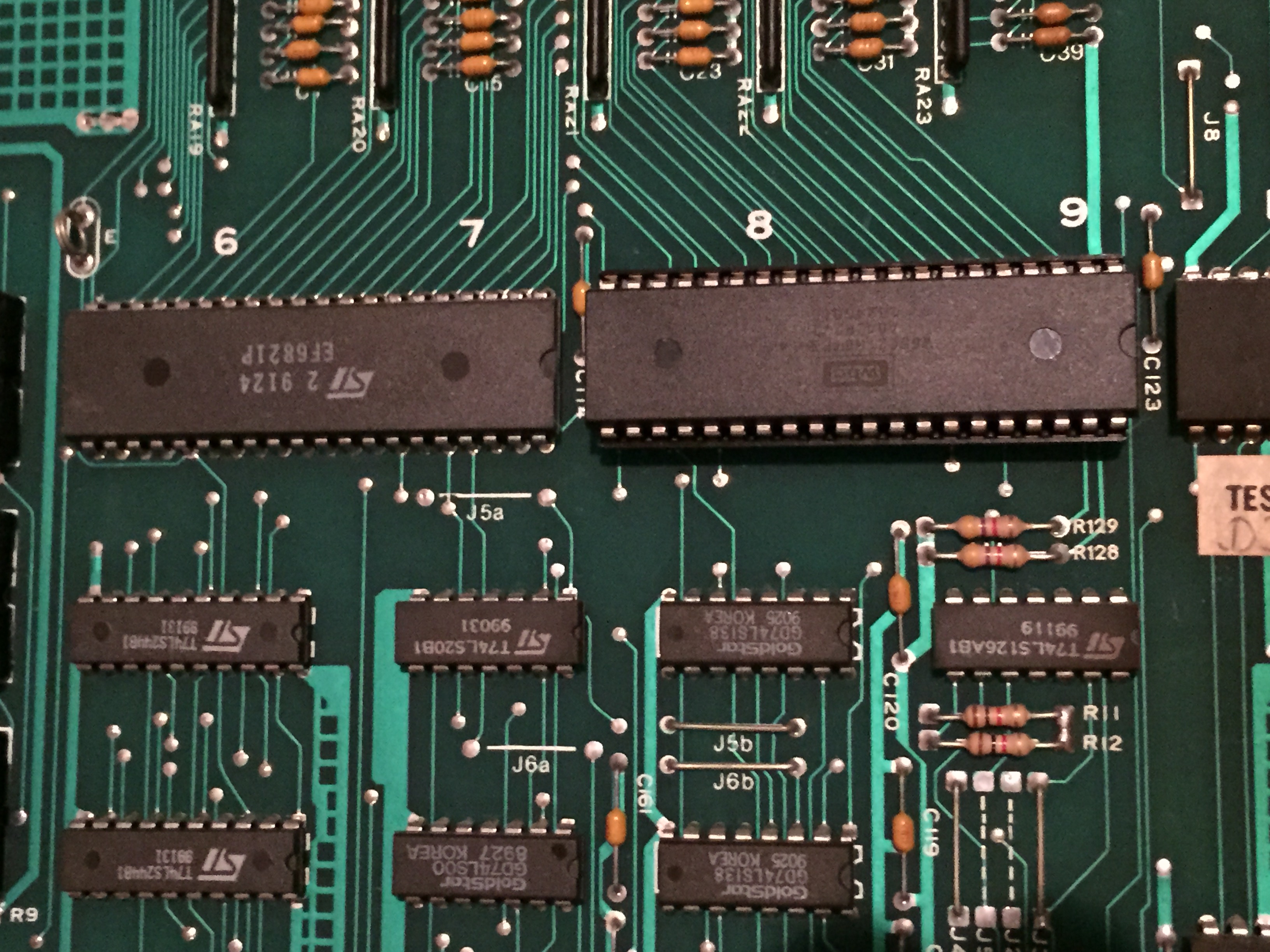
Ground plane and partial back box from original game (CPU pulled for bench testing at this point)

Ground plane and partial back box from original game (CPU pulled for bench testing at this point)

The game was sitting at the road, the backbox head was completely obliterated, but the bottom cabinet looked OK from the pics, the playfield was sitting in the bottom cabinet, boards were attached to the ground plane and the backglass was still there. For what the seller was asking, I figured it’d be worth it just for the backglass (which looked really nice) and I could part the rest of the game out and sell off pieces to those that needed it, as well as keep some for games in the future in my stock.

I was at work, so I called my go-to pinball hauler (my brother Patrick), who goes to school during the week at UNC-Charlotte, and asked him if he would be willing to buy the game and pick it up for me for a little cash; luckily, he was interested. After his night class finished up around 9:30pm, Pat went and picked the game up from the seller near South Park. He got the game back to my house at nearly 11:45pm that night, and we unloaded it into my garage.

Upon seeing the game the first time, I thought what a shame it was to be a parter. The backglass was perfect, the boards looked in really good shape, and the playfield was nice too for its age. There’s some insert wear, but for an un-mylared game from this era with no clearcoat, it’s held up surprisingly well. Not to mention, it has perfect pop bumper caps and no broken plastics (almost unheard of for this title).

Playfield assembly sitting in my gameroom waiting for its fate to be determined.

Playfield assembly sitting in my gameroom waiting for its fate to be determined.

Patrick told me the woman he had picked the game up from had told him that she bought it about 15 years ago (I ended up finding the receipt in the cabinet later, it was purchased in 2003 along with a Ms. Pac-Man arcade), and that her and her husband were moving it to their new house when it fell out of the back of their truck. This is what led the game to its unfortunate present condition.

A couple of days passed, and I continued to ponder what to do with this game, I became more and more determined to save it if I could. However, where was I going to find a full cabinet? Turns out, the bottom cab was split pretty bad too in the back, and the coin door was mangled really bad, so it would take a full cabinet to save this game.

I put out some feelers on http://www.pinballbash.com and http://www.pinside.com. I had some promising leads, but they were primarily either for part of a cabinet (bottom or backbox head), a head/bottom to another game of similar era which I would have to strip, sand and stencil, or hundreds of miles away. In the meantime, I bench tested the CPU which booted properly. The CPU booting got me even more on board to save this game.

As fate would have it, I ended up finding a cabinet less than 15 miles from my house! In speaking with one of the other local pin techs on the phone one day, he told me he had two Sorcerers. One he was keeping for himself, and one in lesser condition that he was planning to use to help make his primary game better. I immediately asked if I could buy the cabinet from his second game off him and explained my game’s situation.

The loaner cabinet I bought.

The loaner cabinet I bought.

It took a couple weeks of persuasion, but Jack saved the day and ended up selling the cabinet to me. Overwhelmed with excitement, I ended up spending the majority of the day today pairing cabinet with parts.

Several of the boards had bent or broken pins I had to repair, and I spent a lot of time using the manual and checking pictures I took of the original ground plane to cross check connector pairings on the boards. Once all the boards were in and connectors put back on, I got ready to plug the game in and noticed the ground prong was broken off the AC line cable.

This is actually fairly common and I keep a good deal of three prong connectors around for just this situation. It’s an easy fix, just cut off the old head, use an exacto knife to trim back the rubber insulation, cut the paper-like insulation, and strip the green, black and white wires. The green (ground) wire goes to the green terminal on the new head, the black (hot) wire to brass terminal, and white (neutral) to silver terminal.

Three prong plug before I screwed in insulating back shield.

Three prong plug before I screwed in insulating back shield.

Outside of the CPU, I had no idea what to expect from the rest of the boards and other electronics. Seven digit displays are expensive for these games and I had no idea what kind of condition these would be in. One had some chips on it from the truck fall, so I was very concerned about it. I held my breath upon first boot up and, luckily, no pops or awful sounds came from the game; however, it did go directly into bookkeeping mode.

For System 9 games, this brings up the game’s code in the player one window (I think it was 5302 1 for this game) and some digits on the credit/match display, but that’s it. I had installed a remote pack in this game and put in some lithium batteries for the pack. I think the lithium batteries operate at a slightly higher voltage than the standard 1.5 volts a AA normally should, as it tested 5.2 or something like that. I’ve actually had a couple of these pre-System 11 era games not seem to like that at all, so, I put in some regular AA batteries and that got us the normal boot up.

Two issues I noticed at this point was missing sound, and when I coined up a game the K1 relay started engaging endlessly and flashing the GI circuit. Luckily, the sound issue ended up being a connector I had overlooked from the volume control that was sitting down in the bottom cabinet. Plugged that in and that knocked out the sound concern.

Boards in!

Boards in!

The K1 relay issue ended up not having anything really to do with K1, but rather a burnt up transistor for the drop target reset solenoid that caused all the drops to stay down and engage points/GI flashes. I ended up having to replace the TIP 102 and 4401 pre-driver transistor for that solenoid. Before installing the CPU, I had done a “quick and dirty” test of the transistors (checking continuity to ground from the tab on the TIP 122s), but overlooked the burnt trace on Q50 which drove this solenoid.

Once CPU was back in, I had a few switch adjustments to make and lights to replace, but all-in-all the game worked! Now that everything is working on it, I’ll invest the last little bit to fully get this game to where I want it.

My last bits of business will be to: troubleshoot one line out on player 2 display, buy two display mattes for player 2 and player 4 that were gone from the truck fall, buy all new star posts, rubber kit, drop targets, stand up target decals and lane change plastics and finish cleaning it all up and do one more layer of wax (I did a light shop on it today, wax, new balls, just to protect the playfield while I was testing).

Great feeling to know that a game that would have ended up a parter is back in line to doing what it should be — getting played!

Posted in General | Tagged , , , , , , , , , | 2 Comments

1977 Bobby Orr Power Play Corroded MPU Repair (Bally -17)

I picked up a 1977 Bobby Orr Power Play about a month ago. It hadn’t booted properly in years and had been “dead” at one owner’s house, sold and then “dead” at the other owner’s place for a long time. The gentleman I bought it from was planning to get it up to speed, but just never got around to it. So, the game was need of a decent amount of attention.

The MPU on these games and the later Bally -35 (Stern boards from this era too) all had Ni-Cad rechargeable batteries directly on the MPU board. If these weren’t snipped off many years ago (and most haven’t been) then the board is usually covered in a nice layer of corrosion from the leaking battery. I’d say 50-75% of these games I run into have some level of corrosion on the board, whether they are working or not.

This game had what I would consider moderate corrosion; I usually won’t invest the time into severe corrosion clean-up as it is a timely process and there are replacement boards for these games available, albeit at a nearly $200 cost.

The usual areas affected, the reset section, LED and Q2 transistor area, and bottom ground plain all had corrosion damage. When booted, the LED light was “locked on” which is fairly common on a corroded board, and signifies that board is not getting through the boot-up process at all. When working properly, the LED on the board should flash seven times, six if you are on a test bench with just +5vdc, +12vdc and ground power.

Surprisingly, there wasn’t corrosion up under the sockets of the 5101 and U11 6821 PIA, but I did have to remove the complete reset section and everything below those chips. I sanded the board down to bare copper on the front and back, neutralized with a 50/50 vinegar/water solution (the corrosion is actually a base, so it takes an acid to neutralize) and re-populated the removed components.

Upon power on the bench, I got the needed six flashes. Took it out to the game to test the displays and see where that stood, and got all seven and a proper boot-up. I will still need to add a remote battery pack and re-tin the bare copper traces on this board.

This game still needs work as it has been sitting for a long time. Upon boot up, I could hear that the chime unit will need some attention, and I’m sure some other mechanisms will need work done as well.

In addition to fixing everything, I’m going to shop it out with new white rubbers, balls, clean plastics and playfield, wax playfield, new star posts, new pop bumper caps, new drop targets, LEDs in the GI and super bands. So, stay tuned as I continue work on this game. Once completed, it should be a pretty decent game for someone. This one will be for sale when complete.

1977 Bobby Orr Power Play, test boot in game to check displays.

1977 Bobby Orr Power Play, test boot in game to check displays.

Posted in Repairs | Tagged , , , , , , , , , | Leave a comment

Repair Log: Williams F-14 Tomcat (Sys 11) and Williams Comet Pinball (Sys 9)

F-14 Tom Cat midway through finishing up the flipper rebuild.

F-14 Tom Cat midway through finishing up the flipper rebuild.

The owner was having different issues with both of these games. F-14 was registering an “Adjustment Failure” and Comet was missing all displays.

The “Adjustment Failure” and reset of factory settings on System 11 games is its way of telling you that the game is not getting power to the U25 RAM chip when the game is off and, thus, not able to retain settings, high scores, etc.

Most pinball machines get power to the RAM through three AA batteries that are, more often than not, mounted on the CPU board. Because most batteries people put in their games are alkaline based, over time, these can burst and cause corrosion damage on a CPU, which is a nasty mess and can be a real pain to deal with depending on the level of damage caused. That is why it is always important to regularly replace the AA batteries in your game! A good rule of thumb, is to replace once a year, or put in a memory capacitor or lithium batteries that don’t leak or burst over time.

The power runs from the batteries to 1N4148 diode at D2 and then on to the U25 RAM on System 11 Williams games. Sometimes the “Adjustment Failure” reading can be as easy as just replacing the batteries, sometimes a bad diode at D2, or a bad U25 RAM chip. Sometimes, however, it’s loss of continuity between components or a bad battery holder. For this F-14, the battery holder was the culprit. It was pretty brittle and beginning to actually fall apart.

I had pre-made a remote battery back, as it’s a good idea to get the batteries off the board. Whenever, I encounter a RAM issue on any game, if it still has the batteries on the board, I will relocate them. So, I snipped the old battery holder and soldered on the wires to my remote back and stuck it on the inside of the head away from the boards. I tested for ~4.5 volts on pin 24 of the RAM chip and we were good to go.

Once the “Adjustment Failure” issue was resolved, I set the game back to free play and tested it out. I noticed the top right flipper was having a lot of issues. Under the playfield, I checked it out, and saw the coil stop was very mangled, as well as the plastic on the coil. I ended up doing pretty much a full rebuild on this flipper with new coil, coil stop, screws, link/pawl and spring. That finished out F-14!

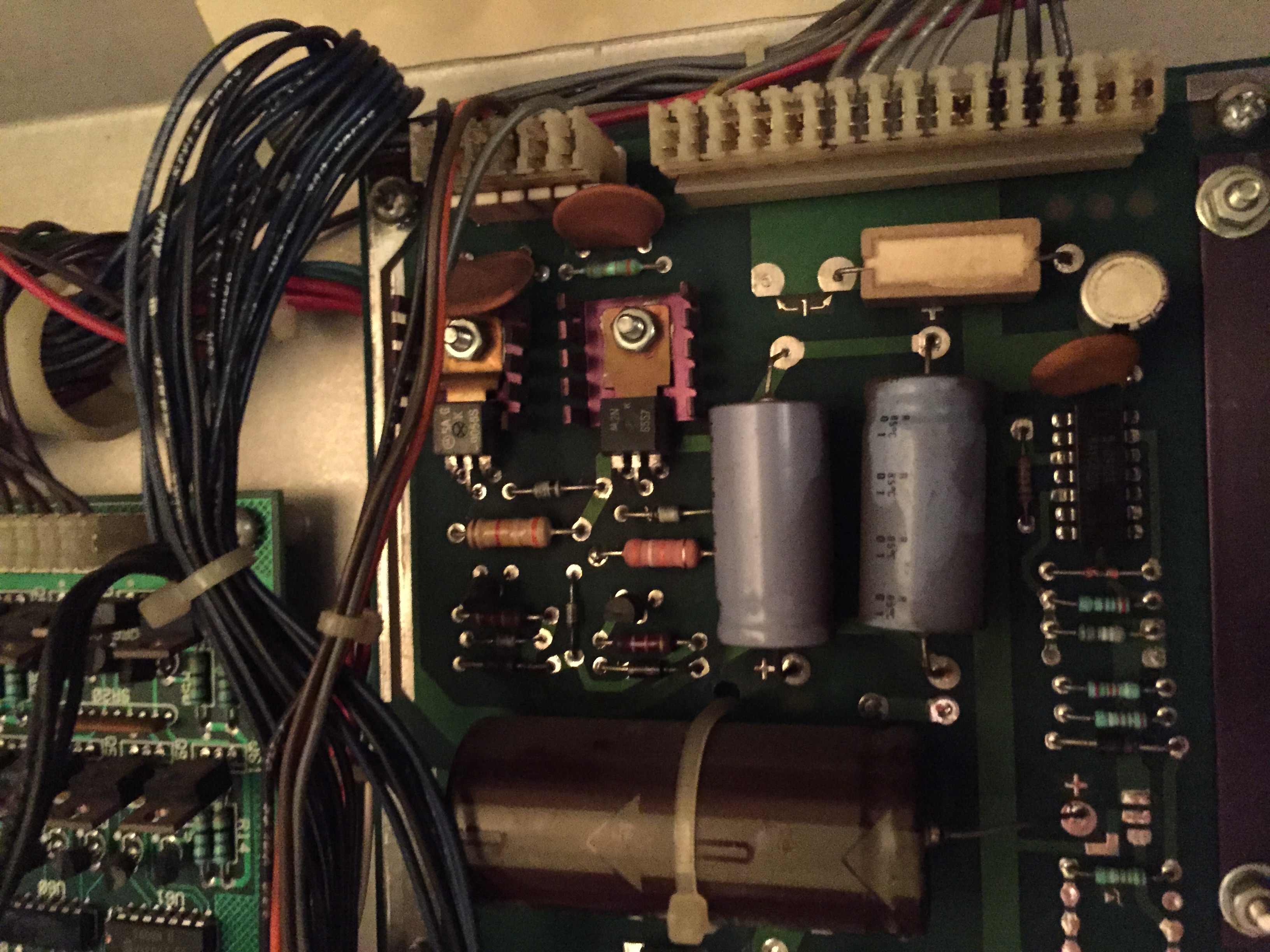
On Comet, none of the displays were working. On these System 9 games, the display power

Comet's Power Supply board with the replaced 39k ohm resistor at R1.

Comet’s Power Supply board with the replaced 39k ohm resistor at R1.

comes off the power supply as -100, +100, ground and +5 volts. In this instance, the board was missing +100 vDC. Several issues can cause the loss of the +100 volts, but in this case it was the most common — an open 39k ohm resistor at R1. I replaced this resistor with a 39k ohm 2 watt resistor I had, put the board back in, and all displays were back up and running.

Once play-tested a bit, we saw a few adjustments and broken rubbers that needed replacement, but it was pretty much all the way back up to speed after the display issue was resolved.

The owner also had a 1984 Data East Karate Champ that he couldn’t get the second player controls to work on. I usually don’t do much work on arcade games, though I have done a decent amount of cap kits on monitors. I told him I’d take a look at it, and luckily, we were able to get everything up to speed on it for two player with some simple adjustments of the DIP switches on the CPU board.

Posted in Repairs | Tagged , , , , , , , , | Leave a comment

Repair Log: 1990 Williams Whirlwind (Sys 11)

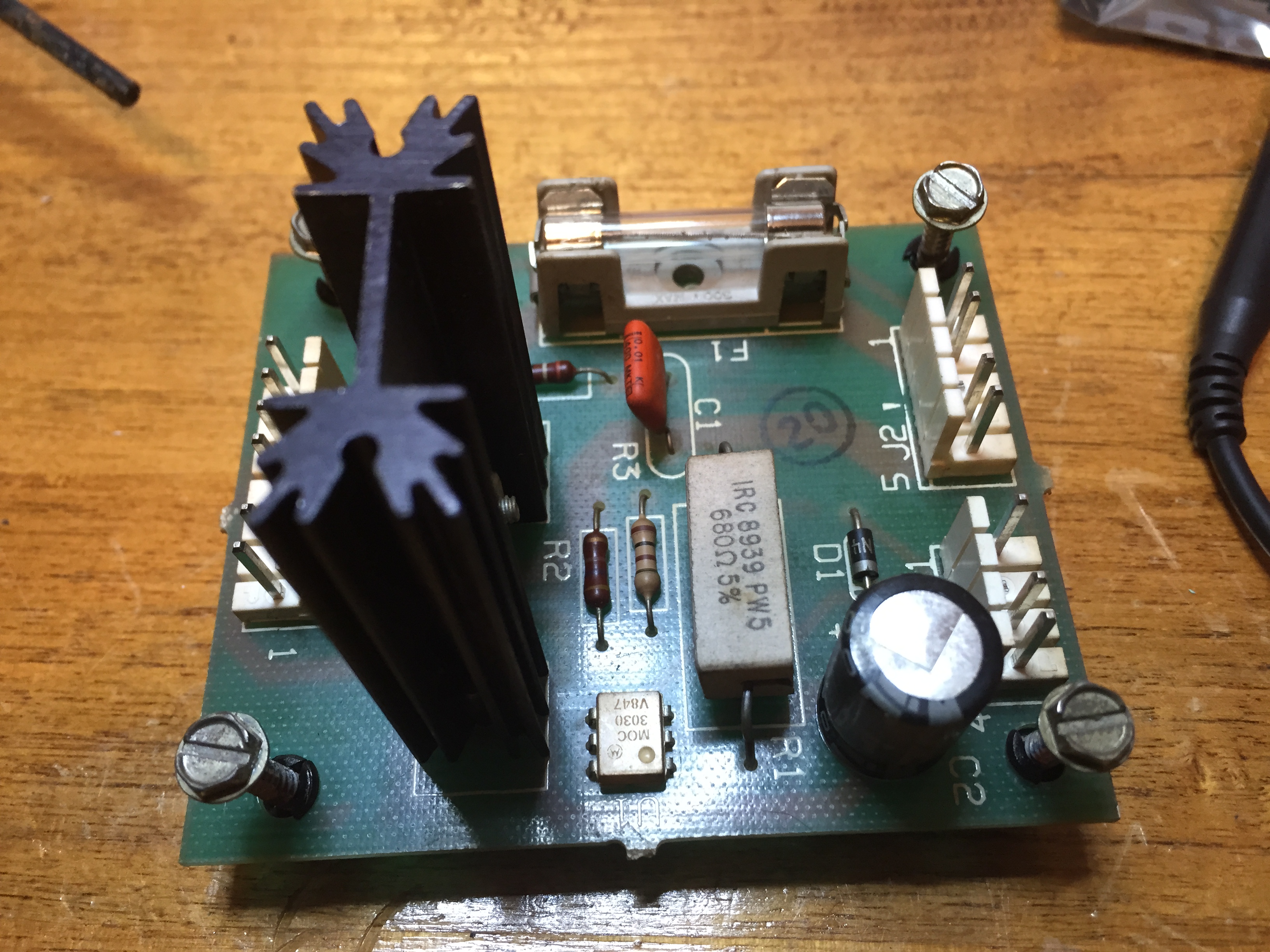
Triac board that feeds the fan on Williams Whirlwind.

Triac board that feeds the fan on Williams Whirlwind.

Hoots Roller Bar over on Mill Works Road in Winston-Salem has a nice Whirlwind. Before that, they had a Judge Dredd in the pin spot that I did some work on occasionally. It’s a great bar that brews their own craft beer on site and has a wonderful atmosphere — I highly recommend anyone in the Triad area check it out if they haven’t already!

Their fan on Whirlwind had blown a fuse and wasn’t working. The fan runs off of a combination of connectors from the Sound Overlay/Solenoid Board and the Auxiliary Power Driver board. They run through a small Triac board that is rather inconveniently screwed into the top of the backbox.

Sometimes this little triac board gets cold and cracked solder joints over time that can cause the fuse on the triac board to blow. That ended up being the case with this one; several of the joints including C2 were completely cracked through to where the lead of the component could be seen moving in and out. I re-flowed all the joints on the solder side of the board, put in a new 5 amp slow-blow fuse and it’s working great.

Posted in Repairs | Tagged , , , , , , , , , | Leave a comment

Repair Log: 1992 Williams Bram Stoker’s Dracula (WPC)

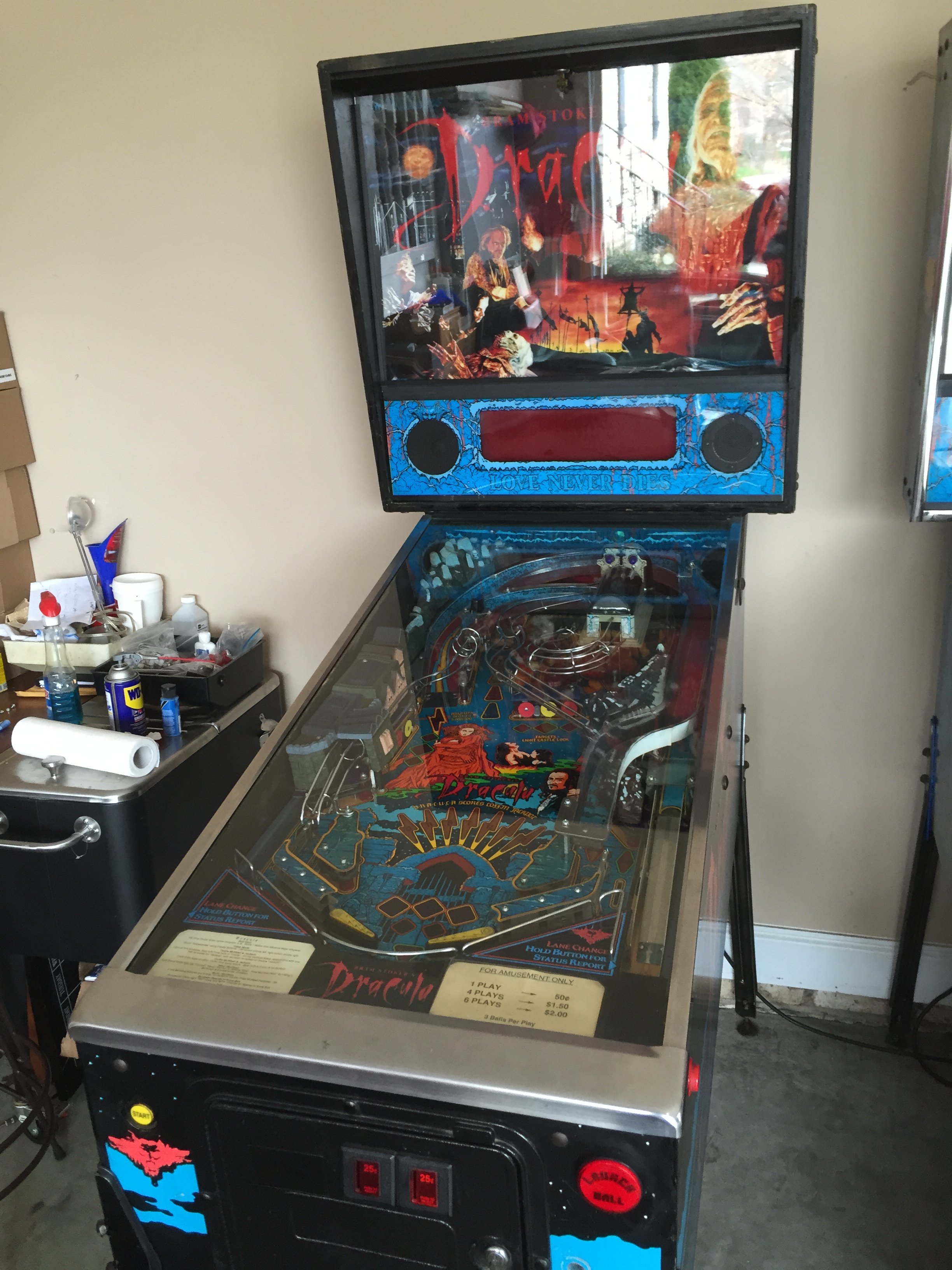
1992 Bram Stoker's Dracula Pinball Machine.

1992 Bram Stoker’s Dracula Pinball Machine.

One of my pinball buddies picked this game up from an operator where it had been sitting for some time. It was cosmetically really nice, and actually the boards were quite clean as well. Just needed a few minor things to get up to speed.

At some point, the speaker wires had been cut. I stripped those and soldered them back on which got the sound back up and running. The “Love Never Dies” flash lamps weren’t working either due to some wires that had come out of the IDC connector. I hate IDC connectors, so I replaced this with a molex .156 female connector and crimped in the wires with trifurcon terminals.

The display that was in the game was dead, so we replaced it as well. The game was having a reset issue when both flippers were pushed, which is actually really common on WPC games after 20 some odd years. There’s a long list of things to check when WPC resets start happening, the most extensive and thorough I’ve found can be found here on the PinWiki: http://pinwiki.com/wiki/index.php?title=Williams_WPC#Game_resets

This game had good line voltage, thermistor, AC cabling, seated connectors, etc. We got

BR2 and C5 replacement before heat sink over bridge rectifiers added back.

BR2 and C5 replacement before heat sink over bridge rectifiers added back.

down to the BR2/C5 replacement. I replaced both and ran jumper wires to strengthen the connection, which cleared up the reset issue.

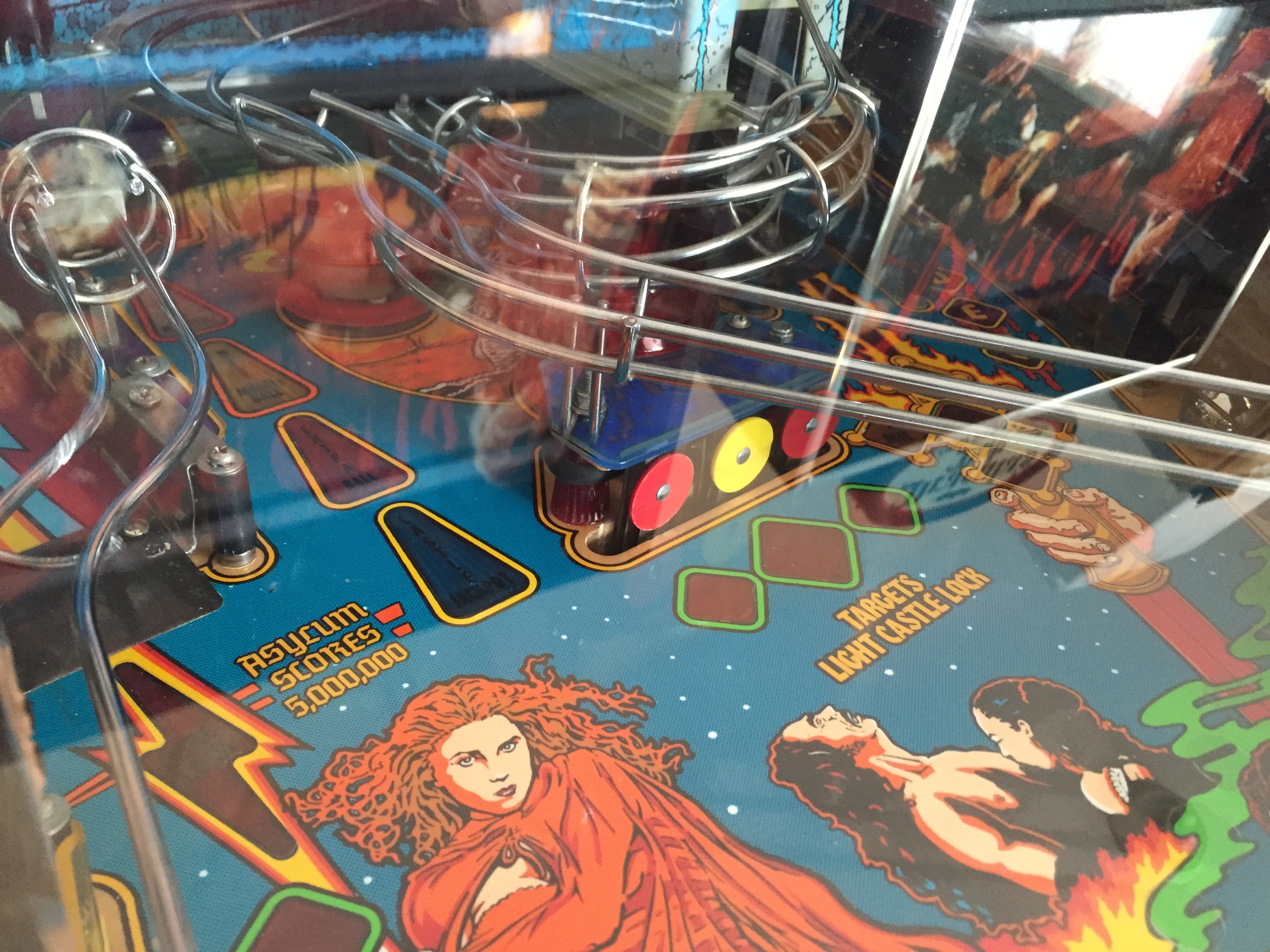
On BSD, the center three drop targets are supposed to all be round targets. However, at some point, this game had two oblong targets put in for the outer two. So, I soldered in two round targets to match the original game spec properly.

The last issue we noticed were a couple rollover switches not registering. Most of the time these micro switches aren’t actually broken, just need some adjustments. When adjusted properly, you should here a little click when they are depressed. Always test with a ball, however, as sometimes you can get the rollover to register with your hand but it might not with a ball traveling over it. Occasionally, it takes multiple adjustments to get these switches just right and, sometimes, even if the switch isn’t faulty per se, it might still need replacement. The original part for these rollovers with Cherry DA3, but that part is now obsolete, so if you replace use Cherry DB3.

Replaced oblong targets with round targets.

Replaced oblong targets with round targets.

That wrapped everything up on this one. Bram Stoker’s Dracula is a brutal pinball machine, but when you master the stacked multi-ball it can be a real blast. I owned one for about 6 months before trading for a Shadow, and wouldn’t be opposed to another one day down the line.

Posted in Repairs | Tagged , , , , , , , , | Leave a comment

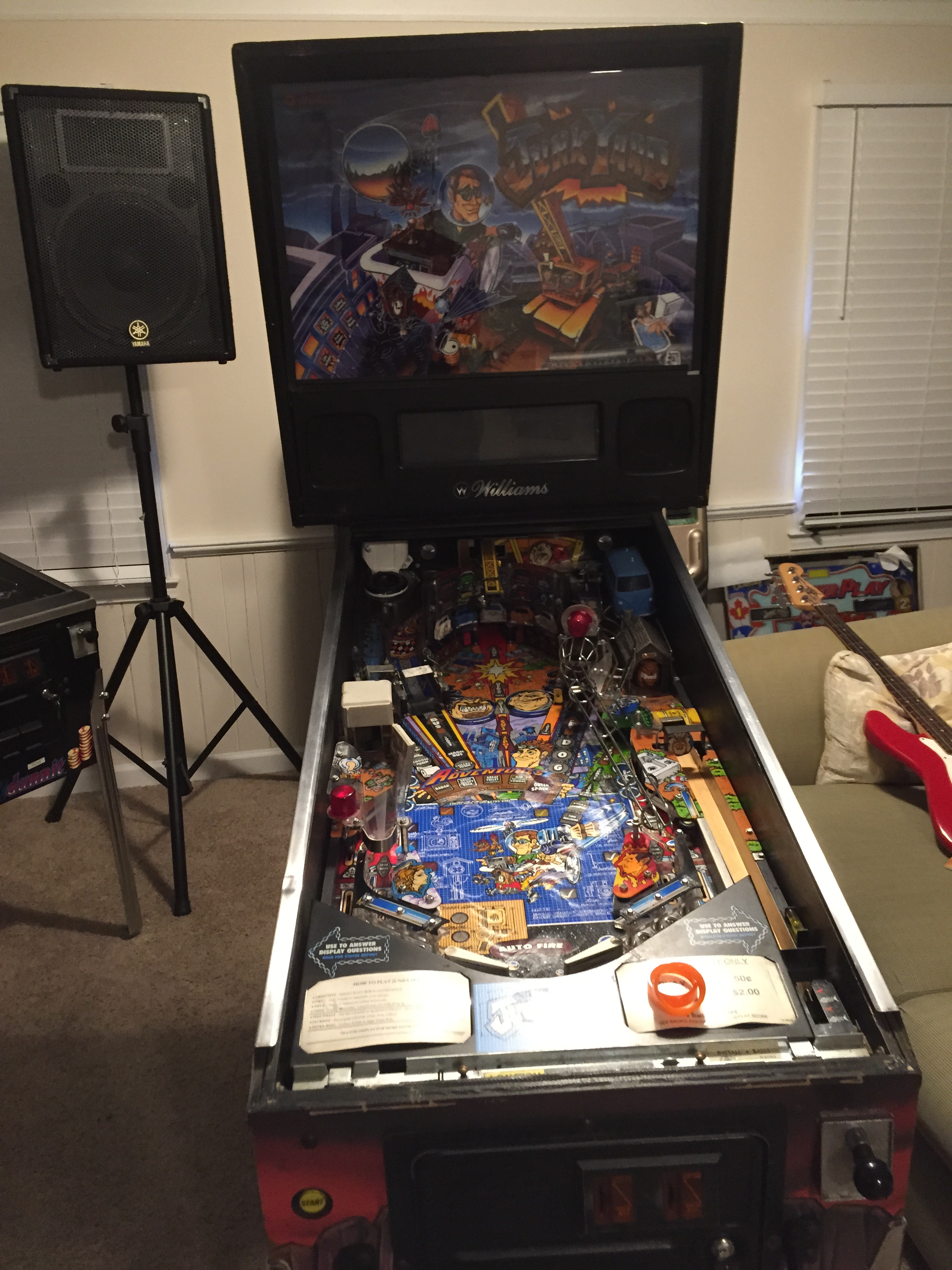
Shop Log: 1996 Williams Junk Yard (WPC-95)

Junk Yard when it first arrived in the house.

Junk Yard when it first arrived in the house.

Picked this one up for the personal collection a couple weeks ago from an operator in Asheville, NC. Overall, it was in pretty good shape, but I’ve been dialing it in and bringing it up to my picky standards.

Nothing really major wrong with the game from a playability perspective, just a lot of adjustments, cleaning up and I wanted to convert to LED lamps throughout. There were two switches not registering properly, one up near the magic bus on the upper ramp and the other at the entrance to the dog house.

After years of use, these little microswitches can get bent to staying in the closed position at all times, not closing all the way or being mangled to where a ball won’t travel over or under properly. 95% of the time there is nothing physically wrong with the microswitch, the blade just needs to be adjusted for consistency, though finding the right “sweet spot” can take several attempts sometimes. For both of these switches, it was just minor adjustments.

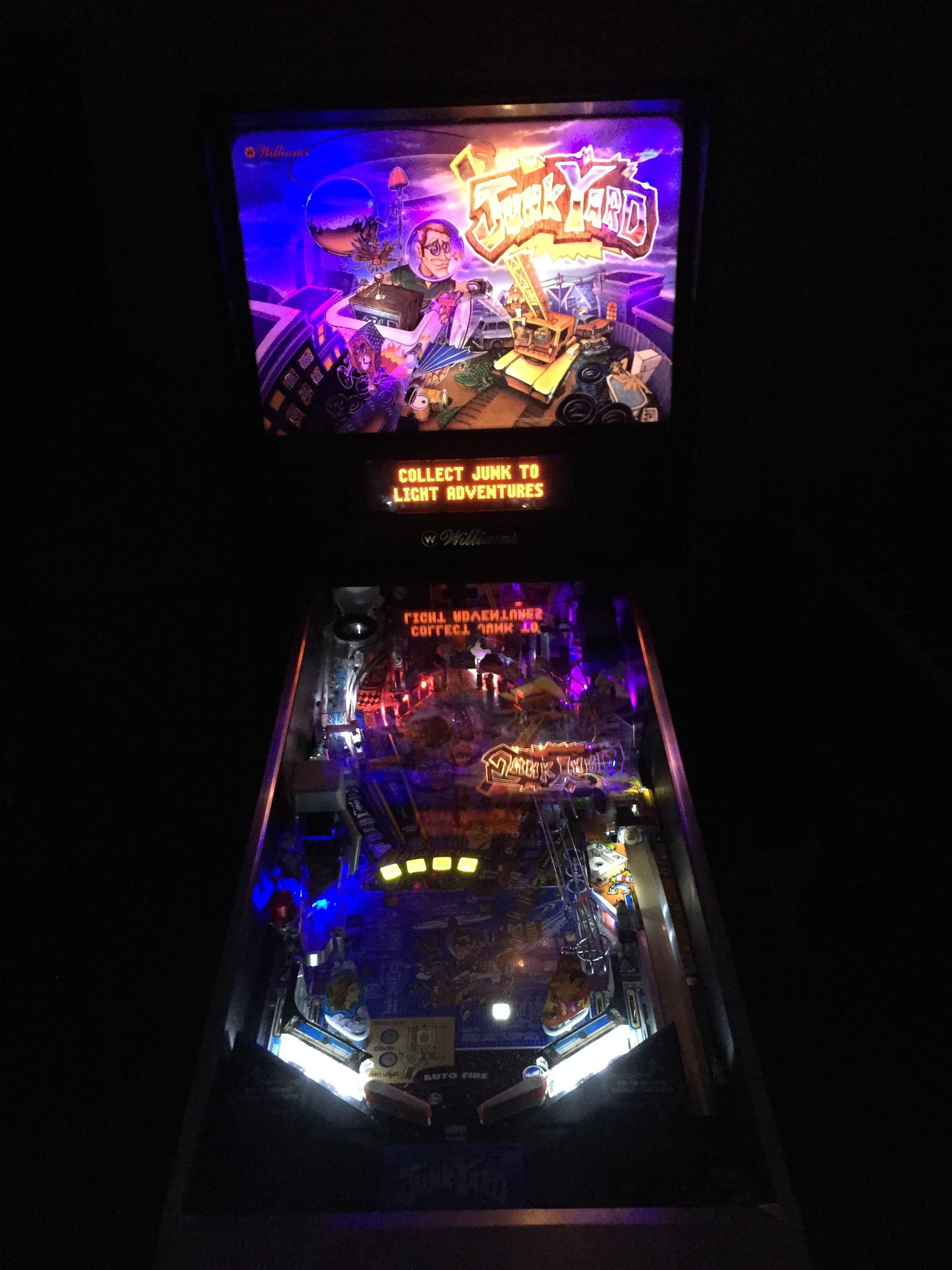
The game when I got it had all incandescent lamps in it, and unless you buy a game from a collector, the likelihood of a game having anything other than this is slim. I prefer the look of LEDs personally, though it’s not for everyone. Even for me, there can be what I call “too much” with an LED scheme. I don’t want it to look like a Christmas tree or blind people when they walk up to the machine, so I try to do what I consider a tasteful design when LEDing a game. I also like that LEDs run cooler and draw less amperage than incandescent lamps, which is less stress on the boards and reduced chance of heat damage on inserts or plastics.

I’ve tried all the major LED suppliers in the past, and my go-to LED supplier is Comet Pinball (www.cometpinball.com). Art, the owner, is a great guy and his pricing, selection and customer service are the best in my book.

Completed LED conversion on Junk Yard Pinball Machine.

Completed LED conversion on Junk Yard Pinball Machine.

With most games I bring into my personal collection, I do a full tear down shop job on them. For this Junk Yard, however, the game had been “shopped”, just not quite to where I like it. So, all the white rubbers are in good shape, but it could use a little cleaning up around the edges. Since full tear down shops take a lot of time and this one was about 80% the way there, I just did a light clean up on it and waxed to protect the field for future play. I usually try to wax my games every 125-175 plays.

Like all Junk Yards, the wrecking ball plastic was cracked on this one, which I have ordered a replacement from Little Shop of Games. It also had one other broken plastic near the Jackpot hole that I was lucky enough to find an NOS (new old stock) replacement from Australia. I’ve also got the auto plunger bracket on order as the original had worn and sags, causing the shooter rod to not fire perfectly.

As soon as the last of my orders is in, this game will be 100% done and good to hit the line up. I’ve already got a sale pending on a 1995 Who Dunnit, who’s place Junk Yard will assume.


Posted in Restoration | Tagged , , , , , , , | Leave a comment

Repair Log: 1991 Data East Batman Pinball Repair

1991 Data East Batman - After repairs

1991 Data East Batman – After repairs

A gentleman contacted me with his 1991 Data East Batman machine. He had purchased from a friend and it had been playing, but it had been several years sitting and was currently not working. He wanted to get it back up and running again, so I went to take a look at it.

Having sat for some time, it had a lot of minor and one major issue from what I could tell giving it a quick look over. Being that this had a lot of potential issues I wouldn’t notice until giving it a thorough examination, I requested that he bring to my home workshop for repair rather than trying to do an in-house fix.


Here’s a list of what issues I found this one:

– Broken shooter rod

– Ball trough was only recognizing two of the three balls

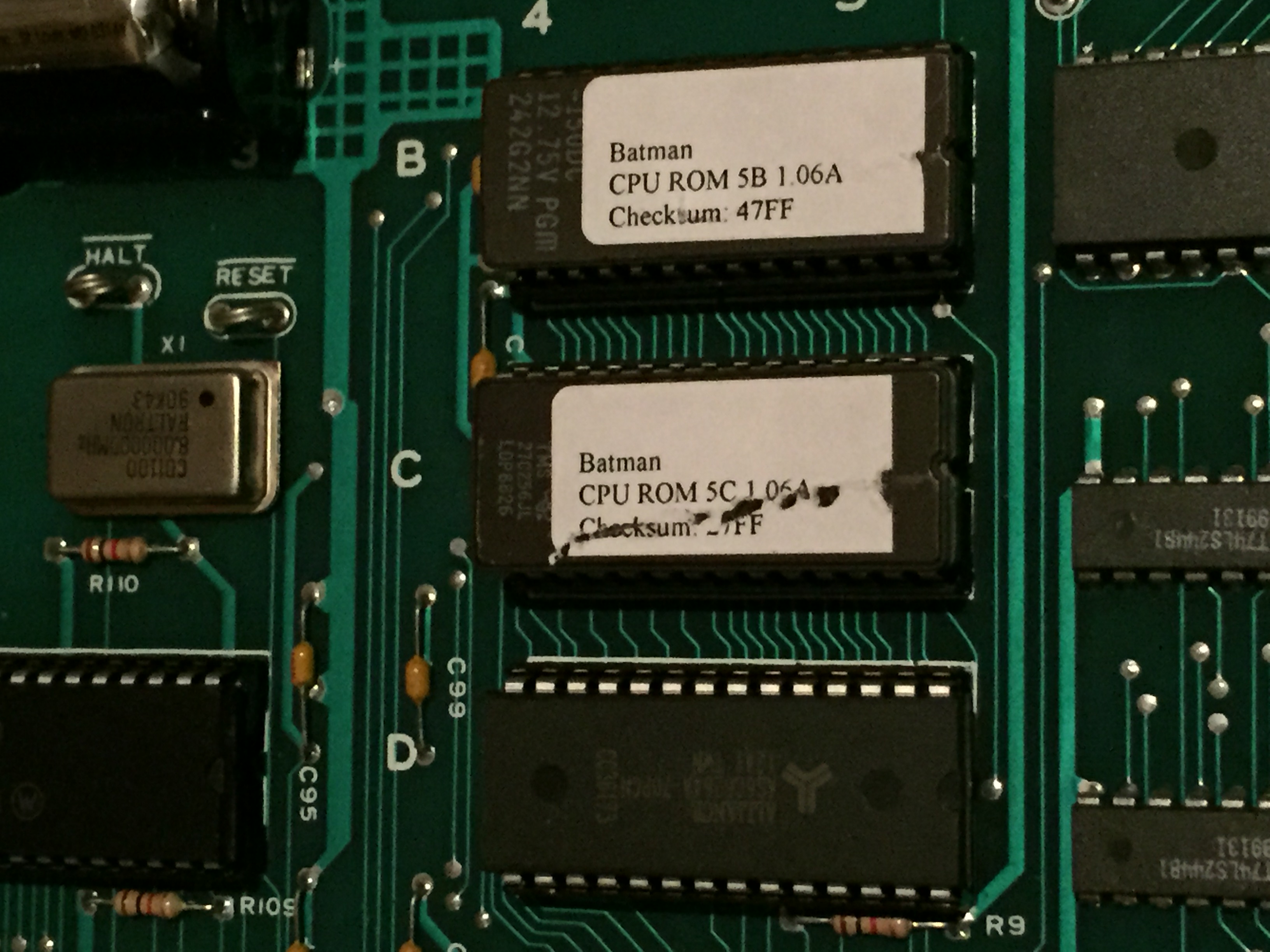
– Added revised game and display ROMs

– Display worked intermittently, and even when working, was not computing correctly

– Receiving “Open the Door” message when display intermittently worked

– VUK switch from Flugelheim wasn’t registering correctly

– Needed a full shop with new rubbers, balls, lamps and polish/wax

– Trough auto-shooter coil locked on

The shooter rod and shop job were obviously easy enough. The “Open the Door” message

Changed Game ROMS and new RAM

Changed Game ROMS and new RAM

on Data East games points to the game’s RAM not retaining the needed 4.5 volts to hold memory for high scores, settings, etc. Sometimes a switch of the three “AA” batteries will resolve this issue and should always be the first thing you check. After swapping the batteries to no avail, I traced the voltage down through the blocking diode at D25 and down to pin 24 on the 6264 RAM at 5D. The game was getting proper voltage all the way down the line, which points to a faulty 6264 RAM. I replaced the 6264 RAM which is already socketed and this resolved this issue.

The ball trough issue was a broken 1N4004 diode on one of the trough switches. These diodes work to protect spikes that could be sent back to the boards when the switch is engaged. If broken or faulty, they can cause switch and/or switch matrix issues.

The VUK switch underneath the Flugelheim was maladjusted and staying stuck in the closed position. It took several manual mechanical adjustments to make sure the spring mechanism on the ball popper worked, but once adjusted, the VUK performed correctly and allowed for multiball and jackpots as it should.

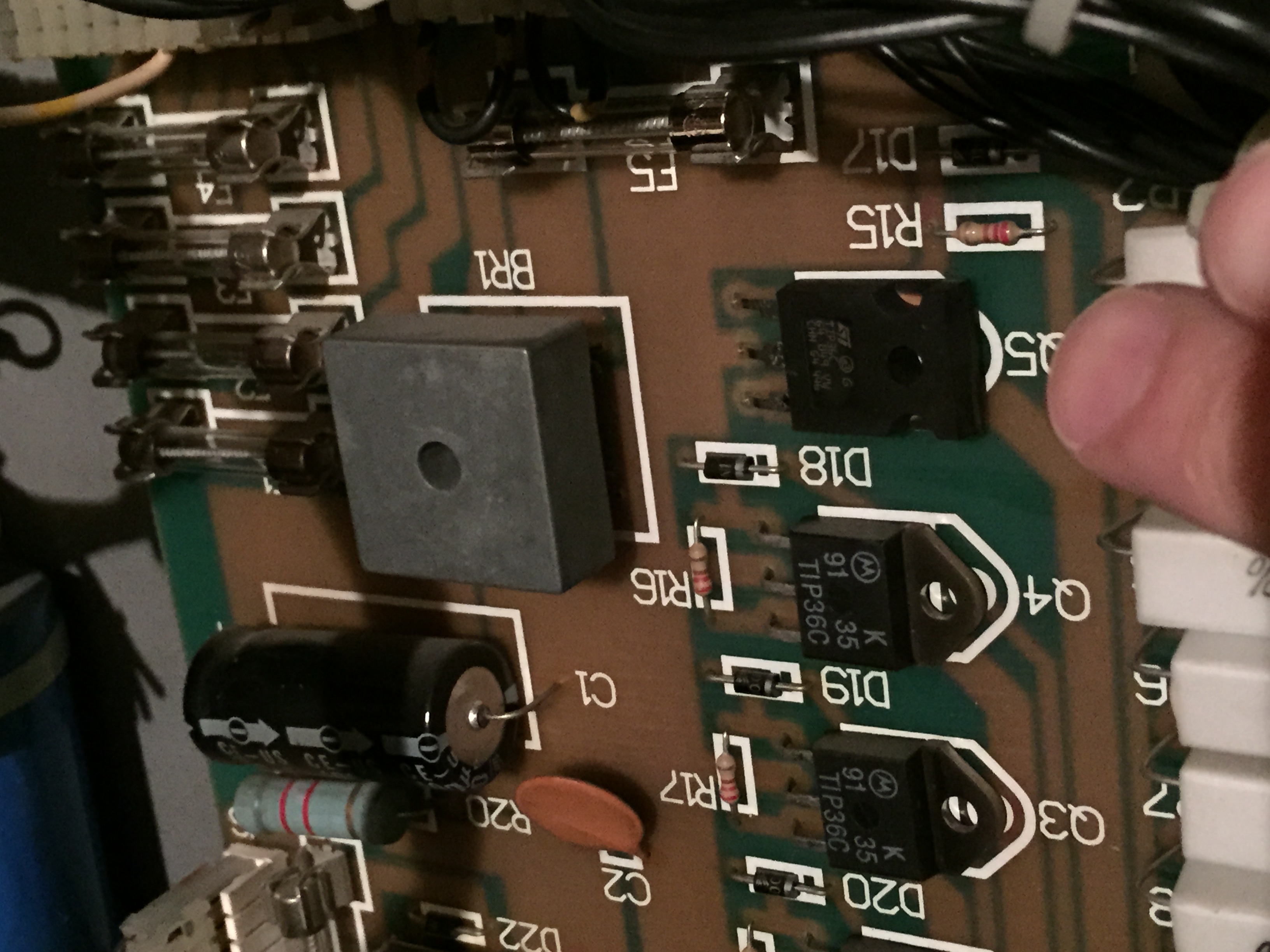
Replaced TIP36C

Replaced TIP36C

The fuse at F5 on the PPB board was blowing on start up. This fuse is in line with the 50vdc that provides power to several coils and the flippers. The coil tested good, which was nice as it’s the most expensive part in the circuit. However, the 1N4004 diode did test out of spec, so I replaced it; however, still blowing the fuse. Tracing further back, I tested the TIP36C and, sure enough, it was faulty. I pulled the PPB, replaced the TIP36C and that resolved that issue.

The final and most perplexing issue this game exhibited was the display issue. With Data East games the CPU and Dot Matrix Display run separately in that the display has a CPU which boots the display ROM and the CPU boots the game ROMs. This game, upon boot up, would boot the display ROM but never the game ROM. It would show the correct display version and then go blank, sometimes to reappear but would not be showing the correct animations.

Socketed and replaced display PIA

Socketed and replaced display PIA

All voltages to the display were in spec. I replaced the ROMs, both game and display, first to no avail. Then, I replaced the ribbon cable from the CPU to the display with a known working one off my Jurassic Park. After that I used Leon’s Test ROM on the CPU to test the 6821 PIAs. The display PIA actually tested faulty, so I removed and socketed and replaced with a 65c21 (as 6821s are almost obsolete these days). Surely this was the fix….nope.

Thinking now it had to be the 128×16 display, I took it to my buddy Jack’s place who had a Hook that uses the same small display (there are only five games released with this display, all Data East from the early 90s). In his Hook, the display worked! I borrowed his power supply board and brought it home to test. Even though all voltages read fine on this game, it was the power supply causing the issue. I had reseated all the cables first thing and all voltages were in spec, but I did find one of the big block resistors out of spec and one capacitor that needed replacement.

Finally, the display worked! I play tested about 10-12 times to make sure everything worked correctly. Game is headed back home this weekend, and my initials may or may not be the high score from one of the play tests 🙂

Posted in Repairs | Tagged , , , , , , , | Leave a comment

Site Re-branding to Carolina Pinball Repair

I started this page as a blog a couple years ago to keep up with my personal journey through the pinball collecting world. However, with my time split between day job work, Down Fenix Media, LLC (www.downfenix.com), pinball repair for both myself and others, and good old free time, I rarely had time to update.

As my pinball repair clientele list has increased, I wanted to re-brand this page and gear it more towards my repair endeavors and as a hub to market my services. I think this will be much more beneficial to both myself and my viewership as I focus and specialize the site posts towards repairs as opposed to general collecting.

I hope you all enjoy, and I look forward to continued repair service to North Carolina pinball owners!

Posted in General | Tagged , , , , , | Leave a comment

Tommy Pinball Wizard Repair: Replacing Blinders Servo Motor

Screen shot 2013-06-02 at 12.12.46 AM

Blinders mechanism outside of the machine.

I recorded a video of this repair since I thought it might be helpful for some of you guys. I’ve attached the YouTube link of the video at the bottom of the page which goes through a, more or less, step-by-step of the process.

My Tommy has a repro servo board on it, though I still have the old board and think it is OK as well, just the R2 and R5 pots are a little beat up.

Anyway, since the game came with the repro board, that’s what I left in there. It’s cleaner than the old board in layout and has 19 years less use time on it which I’m sure is not a bad thing. I thought the culprit with the blinders not working was the servo motor, and it turns out, I was right on this one.

The old motor would run, but not move the link arm which points to a high likelihood of stripped gears. These little servos are extremely simple and work off of very tiny plastic gears that move in conjunction to swing out the link arm. Over time, and I’m going to go out on a limb and say this one was from the factory, these little gears get worn down and the servo needs to be replaced.

So, I ordered an Airtronics 94102 servo motor to replace the bad one. Several of the pinball parts companies online carry this unit, but have a pretty decent little markup on the price. If you Google “Airtronics 94102” you should be able to find the exact same servo for about half the price from an RC hobby shop.

The most important thing I learned was that the new “Z” connector isn’t as plug-in-play as I originally believed. According to Marco’s, they have an installation note saying the blue wire is the 5v, the red the ground and the black is the signal wire, which would in theory make the servo plug-in-play. However, I found out that that’s not exactly correct after some frustrations with the installation.

The blue wire is actually the signal wire, the red is the 5v and the black is the ground. Their alignment in the “Z” connector will not work with the Tommy servo board, old or repro. So, what you have to do is unpin the red and black wires and switch them so that red will run to the 5v, black with be ground in the center and your blue wire will take the signal feed. There’s a good PDF available online I found which helps explain the difference between the old Airtronics 94102 and new “Z” connector style that has replaced it here: http://jacobwatson.com/images/dads%20images/connectors.pdf.

Other than that, everything was pretty straight forward and just took some careful adjustments. I’m happy to report that I now have working blinders on my Tommy!

As strange as it sounds, I think I need to get a cheaper camera to document some of these repairs. Using what I normally use for some of my freelance gigs, though the picture quality is nice, the no auto focus ability and super shallow depth of field was a bit difficult to work with while trying to do a “how to” by myself. So, apologies on any part of the video that maybe snuck out of focus here or there. Anyway, here’s the video that documents this repair a bit more extensively:

Just as a note, before I put the apron on, I ran the little servo wiring up through the playfield hole to make it a little tidier before putting everything back together.

Posted in Repairs | Tagged , , , , , , , , , | 1 Comment

Tommy Pinball Wizard Repair: Replacing Trough Rollover Switch

I’ve got two repairs I’ll be doing on Tommy this weekend. One is pretty minor, and the other isn’t major, but a little bit more intricate. For the second, I will add a video of my progress in case it is valuable to anyone else with the same problem.

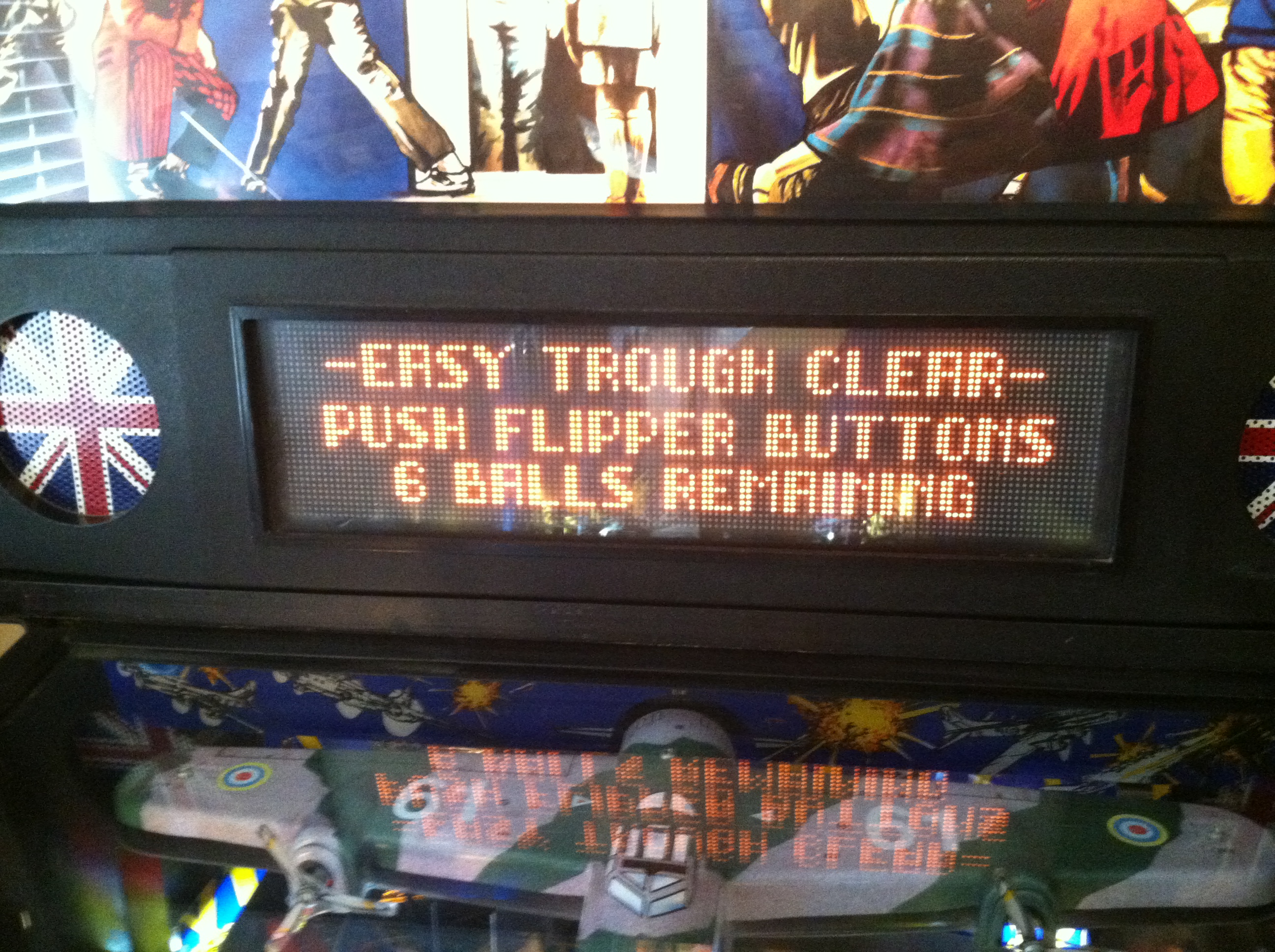
For this fix, however, I will just snap a few pictures and try to walk you guys through the problem and the solution. The other day, I was playing Tommy and some odd things started happening: Jackpots continued in multiball mode even once I was down to one ball, and then when it drained, it didn’t go into the end of ball bonus phase. With a little nudge, the sixth ball was recognized finally, but once the bonus was calculated the next ball shot out two balls rather than one. I knew immediately that I had a trough issue on my hands as all of these signs are classic examples of ball trough issues.

IMG_0852

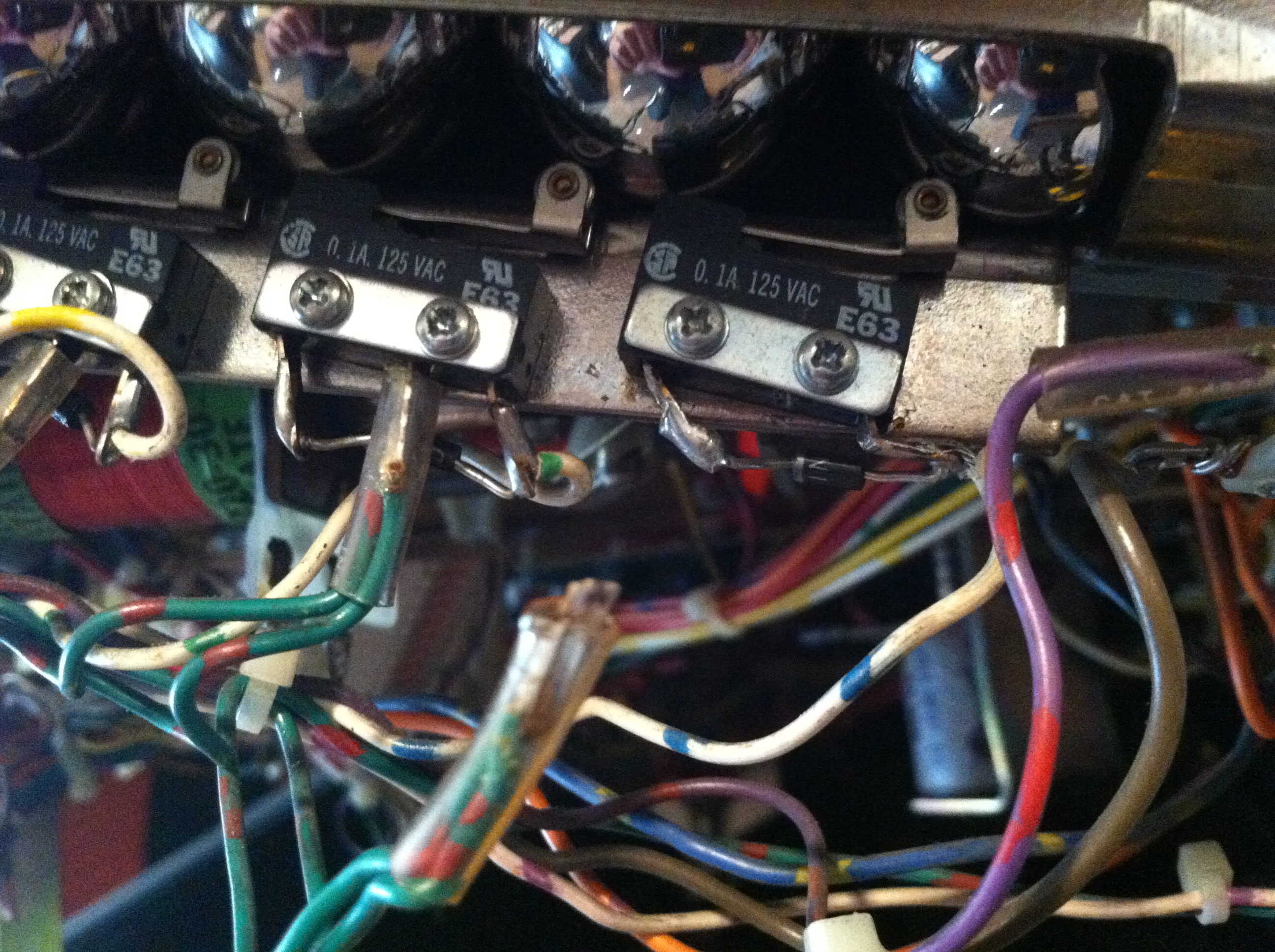
The middle lug broke off the furthermost trough rollover switch.

Sure enough, when I lifted the playfield, I noticed the furthermost trough switch had an problem. At first, it looked as if the double-wired positive green-red line had simply come desoldered from the middle lug; however, upon further inspection, the entire middle lug had come off!

IMG_0851

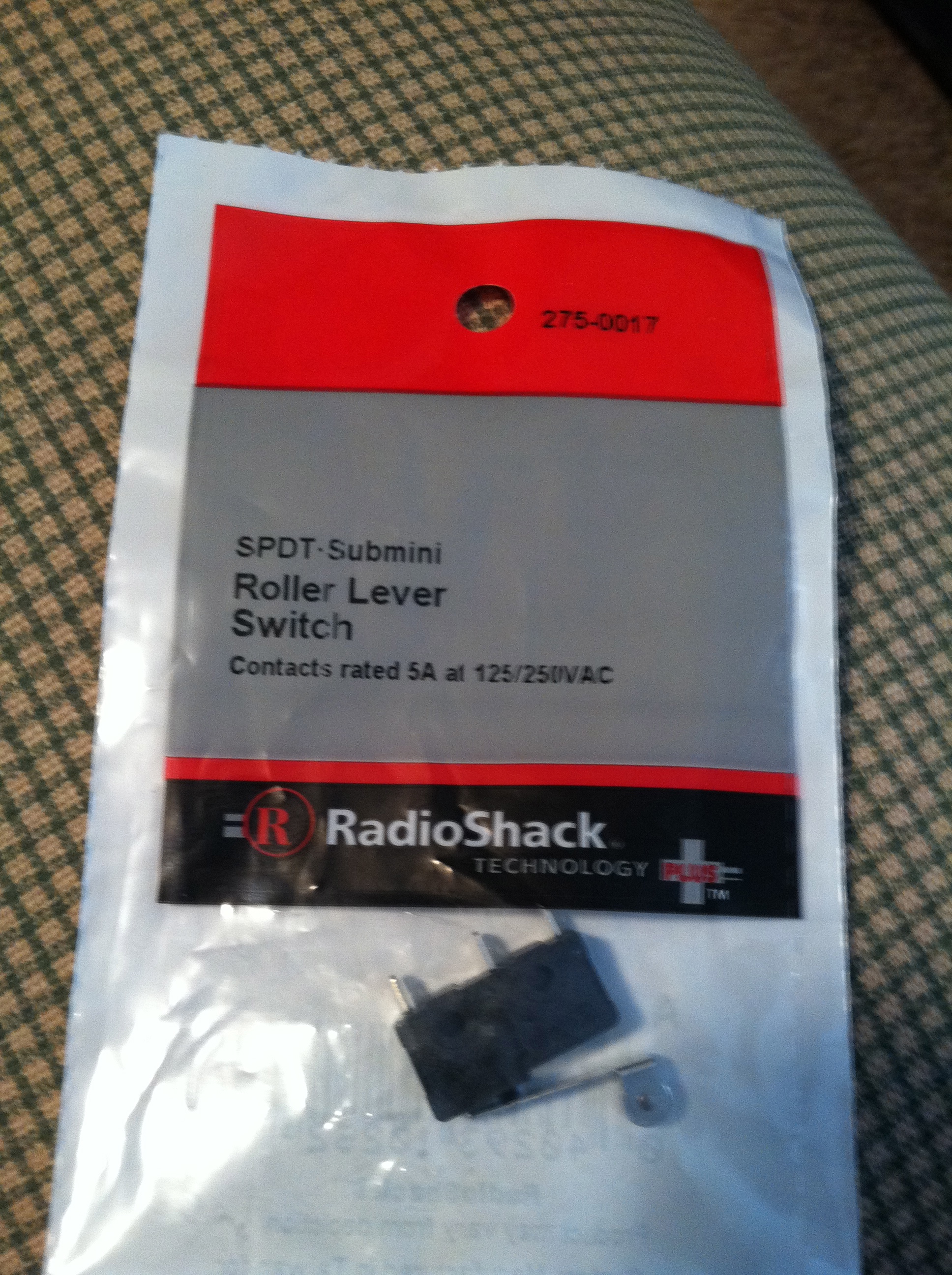
Radioshack conveniently carries a suitable replacement! Part #275-017.

Luckily, Radio Shack carries an equivalent part in stock, so I didn’t have to make an online order with one of the many online pinball parts companies and wait for a few days before tackling this issue. The part at Radio Shack is part #275-017. I picked up two, just to have one more on hand.

As you can see in the picture, the middle lug came completely out. With a small phillips head screwdriver, I took out the two screws holding the trough switch in. After that, I desoldered the blue-white ground wire from the rightmost lug. At this point, just take note of the orientation of the N4001 diode that is soldered between the outer two lugs, and then disregard the old switch/diode.

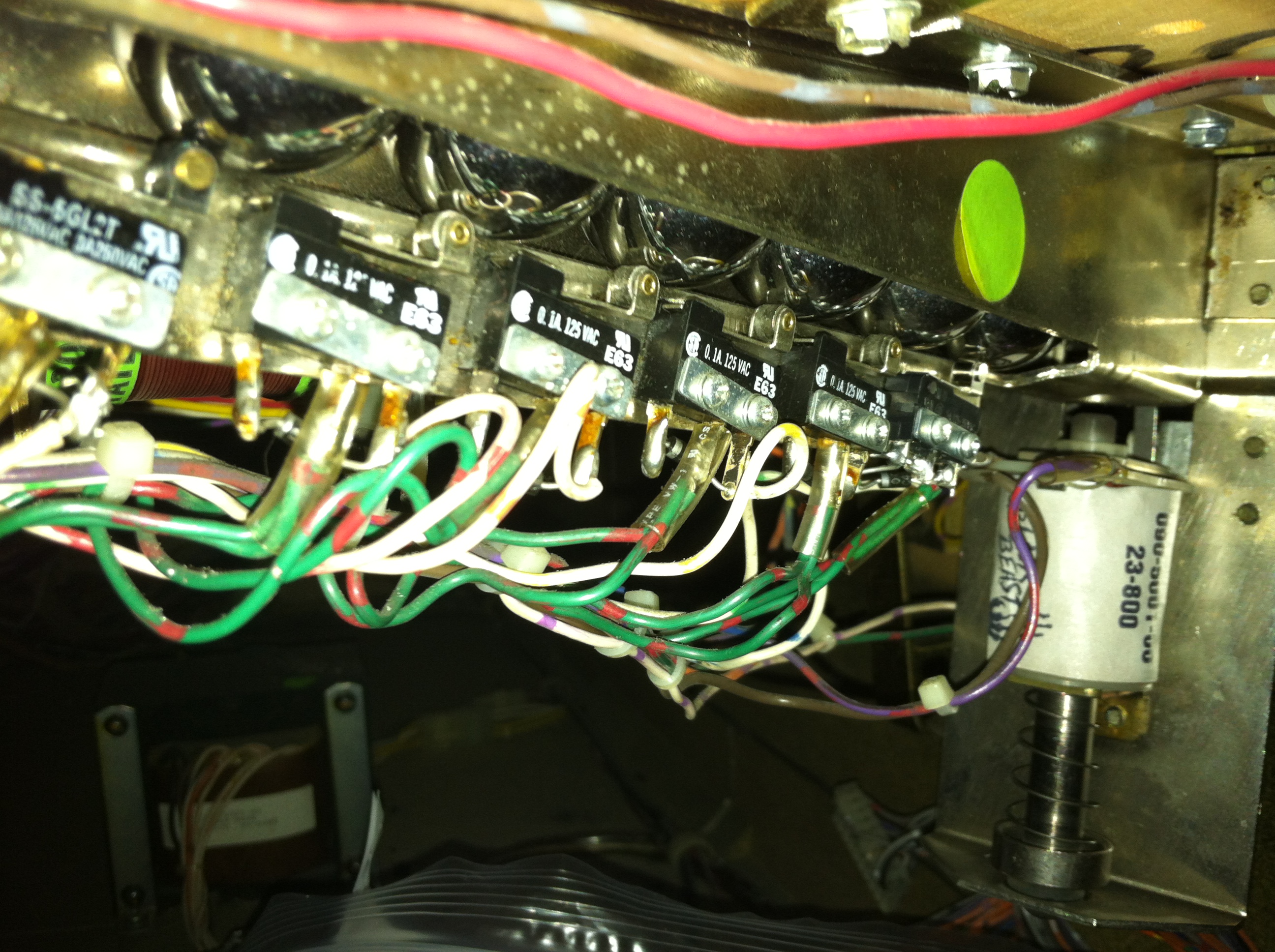
I could have probably salvaged the old diode, but with as cheap as they are, I just used a new N4001 blocking diode. I soldered it in array on the outermost lugs, same orientation as the rest of the switches, which was banded side towards the leftmost lug if you are looking at it as it is oriented in the machine (side without the white-blue wire). After that, I soldered the white-blue wire onto the right lug (non-banded side) and then soldered the double green-red wire onto the middle lug.

IMG_0853

The finished product!
(Insulator tubing pushed up all the way after this photo was taken.)

With the new switch, it might need to be adjusted a bit to fit the screw holes and still register  when the balls are over it. Screw in the two holding screws and make sure the switch is engaged (clicked) when balls are resting on top of it. If you can press the switch and hear a click when the balls are resting over it in the trough, you need to take it out and re-adjust.

IMG_0855

All six balls registering properly! One fix down, one to go!

I fired up the game, no “Pinball Missing” error message on the screen. Went into diagnostics just to double check (this can be confusing on DE games sometimes. Push the green push/pull in so it is engaged, do it on both green push buttons if there is a double set of knobs on the coin door, and then press the black button). In diagnostics, as hoped, all six balls were registering. I fired up a game, and everything worked perfectly.

One fix down, and one to go! My other issue is the Tommy blinders weren’t working when I got this machine. The previous owner bought a new board, but I don’t think the board was really the issue on this one, though an update over the 19-year-old original board is definitely not a bad thing! I think the servo motor has stripped gears. I’ll probably be doing that fix tomorrow, so tune in for a video of if my theory is correct as I install a new Airtronics 94102 servo into the blinder mech on Tommy!

Posted in Repairs | Tagged , , , , , , , | 1 Comment